
Multi-Factor Authentication (MFA): The Key to Reducing Cyber Attacks and Unauthorized Access
Over the years, the advancement in technology and across the digital sphere has triggered the rise in cyberthreat. In terms of digital security, passwords used to be the ideal standard, not until it succumbed to attacks. Data breaches pose grave danger to individuals and companies as it exposes a huge ton of credentials and cybercriminals have developed high end techniques to crack complex passwords. To confront this challenge, multi-factor authentication emerged and requires users to provide different forms of verification before gaining access to systems. MFA adds important layers of security that makes it challenging for attackers to compromise users accounts.
What Is Multi-Factor Authentication (MFA)?
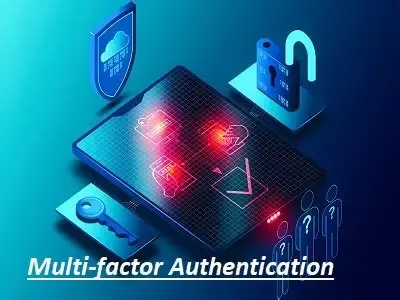
Multi-factor authentication (MFA) is a security mechanism that requires users to provide two or more verification factors in order to access a resource application or system rather than relying on a single form of authentication. It creates a more detailed verification process and is hinged on the premise that when one factor is compromised, the attacker would still need to breach additional security layers to gain access.
MFA is hinged on three categories of authentication factors. The first includes passwords, PINs or answers to security questions. The second is the use of a smartphone, hardware token or smart card that generates or receives verification codes. The third is the use of biometric identifiers such as fingerprints, facial recognition or iris scans. MFA requires combining at least two of these different factor types. For instance, using a password and a fingerprint scan qualifies as MFA, but using a password and a security question does not, as both fall in the same category.
Two-factor authentication (2FA) is the most common form of MFA and specifically requires two authentication factors. Although 2FA are MFA, however, not all MFA are limited to just two factors. Some high-security environments might require three or more factors when protecting highly sensitive data or vital infrastructure.
Importance of MFA In Cybersecurity
Cybersecurity is with certitude constantly being threatened by attacks. For instance, phishing campaigns have become more-high end, constantly deploying social engineering techniques that trick users into revealing their passwords. In brute force attacks, cybercriminals use automated tools that attempt to crack millions of password combinations, which result in huge data breaches. This exposes password databases containing credentials from hundreds of millions of accounts. Once these valid details have been accessed by attackers, they move across networks, accessing sensitive information and causing devastating damage, prior to being detected.
Microsoft states that “based on our learnings more than 99.9% of those common identity-related attacks are stopped by using multifactor authentication and blocking legacy authentication”. Therefore, attackers who steal or crack passwords cannot access accounts without also compromising the additional authentication factors. Let’s even assume a user falls victim to a phishing attack and enters his/her details on a fake website, the attacker cannot proceed without the second factor which is typically tied to a physical device in the user's possession.
Security breaches attract financial cost and can damage the company’s reputation which makes it important for companies prone to being breached or that keep being breached, to implement MFA. Consequences include legal liabilities, regulatory penalties, loss of revenue and customers’ trust. For individuals whose accounts have been compromised, identity theft, fraud and personal privacy violations are rife.
Types of MFA Methods
SMS -Based Codes
SMS-based codes form one of the most widely adopted MFA methods as a result of their simplicity and accessibility. For instance, when a user attempts to log in, the system sends a one-time password to their registered mobile phone number via text message. The user then enters this code to complete the authentication. Although it’s better than not having any MFA, however, SMS-based authentication is susceptible to SIM swapping attacks where criminals convince mobile carriers to transfer a phone number to a SIM card they control. Despite these limitations, SMS remains popular because it requires no additional apps or hardware and works on any mobile phone.
Authenticator Apps
Authenticator apps provide a more secure alternative to SMS codes. Applications like Google Authenticator, Microsoft Authenticator and Authy generate time-based one-time passwords (TOTP) that refresh every 30 seconds. These codes are generated locally on the user's device using a cryptographic algorithm and a shared secret key, which means they don't rely on mobile networks or internet connectivity. For instance, when setting up an authenticator app, you typically scan a QR code that contains the shared secret and from that moment onwards, your device will generate valid codes independently. This method is more resistant to interception attacks in comparison to SMS.
Hardware Security Keys
Hardware security keys rank pretty high on the MFA security standard list. They provide strong, physical authentication that can protect accounts online. For instance, YubiKey or Google Titan Security Key connects one’s computer via USB NFC or Bluetooth and use cryptographic protocols to verify one’s identity. When one attempts to log into a service, one inserts or taps one’s security key and it provides cryptographic proof of one’s identity without transmitting any secret information that could be intercepted. Hardware keys are highly resistant to phishing attacks because they verify the authenticity of the website before responding, thereby preventing users from accidentally authenticating fake websites. A good number of security-conscious companies and even individuals consider hardware keys as important for protecting sensitive accounts.
Biometric Authentication
Biometric authentication leverages unique physical characteristics of users to authenticate users’ identity. Fingerprint scanners, facial recognition systems and iris scanners fall into this category. Smartphones these days have made biometric authentication easy with features such as Apple's Face ID and Touch ID or Android's fingerprint sensors. Biometric factors are convenient because you always have them and cannot easily lose or forget them. However, they raise privacy considerations and unlike passwords you cannot change your fingerprints or face if they are compromised. Companies implementing biometric authentication need to ensure they follow privacy regulations and securely store biometric data as encrypted mathematical representations instead of actual images.
Push Notifications
Push notifications offer a user-friendly MFA approach where authentication requests are sent directly to a registered device through a dedicated app. When one attempts to log in, the app on one’s smartphone receives a notification asking one to approve or deny the login attempt. These notifications frequently display information such as the location where the login is being made from, type of device, and timestamp, which helps the user know when suspicious attempts are being made to access his/her account. However, there is the vulnerability of succumbing to the "MFA fatigue" attack, where a cybercriminal consistently triggers authentication requests, with the hope that the user will finally approve one in order to stop the notifications.
How MFA Works
MFA authentication begins when a user attempts to access a protected resource by entering his/her username and password on a login page. The system first validates these primary details against its database. If the details are correct, rather than granting access, the system initiates the second authentication factor. The specific mechanism however depends on the chosen MFA method (the system might send an SMS code, trigger a push notification or prompt the user to insert a hardware key). This act of separation between the first and second factors is important because it creates a security gap that attackers must bridge even after obtaining valid passwords.
In the background, MFA systems rely on standardized protocols. The OATH (Open Authentication) framework provides specifications for generating and validating one-time passwords ensuring that authenticator apps from different vendors could work with various services. TOTP, a component of OATH uses a cryptographic hash function combined with the current time and a shared secret to generate codes that are valid for only a brief window. FIDO2 (Fast Identity Online) and WebAuthn represents newer standards designed specifically for password-less and hardware-based authentication using public key cryptography where the private key never leaves the user's device, thereby providing detailed protection against phishing and man-in-the-middle attacks.
Modern cloud-based identity providers like Azure AD, Okta, and Auth0 offer built-in MFA capabilities that could be enabled with configuration changes rather than extensive development work. Also, APIs and SDKs provided by MFA vendors allows developers to embed authentication flows directly into custom applications, thus, giving companies flexibility on how they implement these security controls.
Conclusion
Multi-factor authentication has become an absolute necessity in order to protect digital assets against cyberattacks. MFA prevents the large majority of accounts from being compromised as a result of attempted attacks. Security should not be viewed as a one-time implementation but an ongoing commitment to protecting what matters most to you.
Learn more about how to prevent and protect your business from cyberattacks by enrolling your employees in our comprehensive cybersecurity course led by our top expert instructor.